QR Codes and Short Links: Bridging Offline and Online
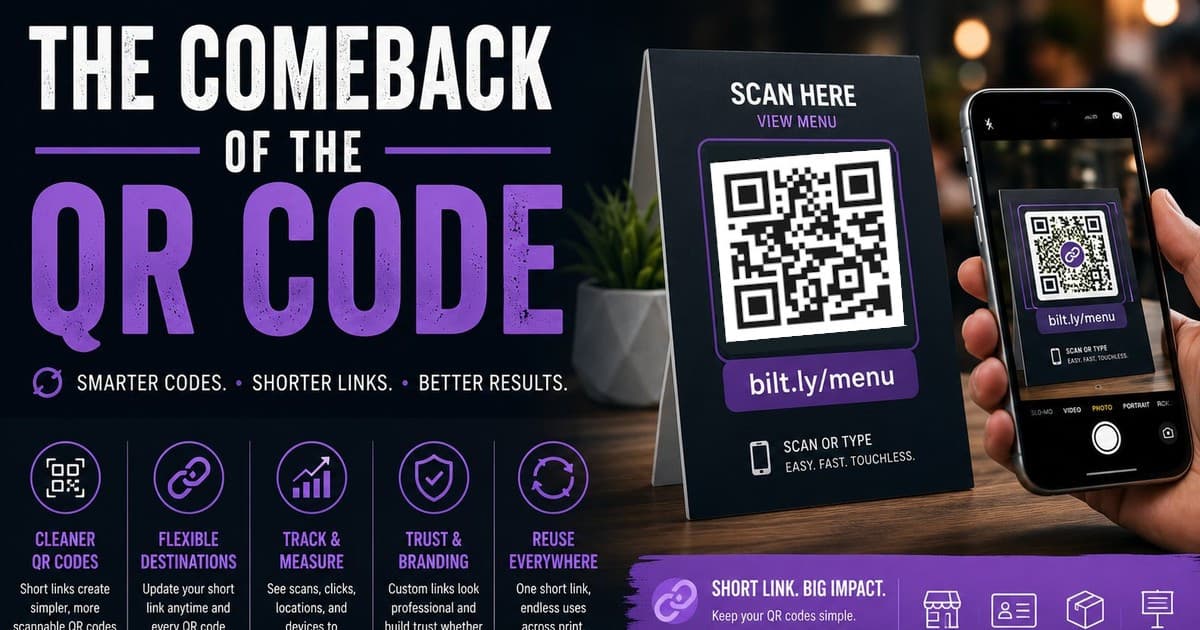
QR codes are everywhere again, but most people never think about what's actually encoded inside them. Pairing one with a short link gives you a printed code that never has to change, even when the destination does.
The Comeback of the QR Code
QR codes faded for years, then came roaring back during the pandemic when restaurants needed a touchless way to hand out menus. Now they're everywhere: product packaging, event posters, business cards, even billboards. But most people slapping a QR code onto something never think about what's actually encoded inside it, and that's where things start to go wrong.
The Problem With Raw URLs in QR Codes
Most QR code generators just encode whatever URL you paste in. If that URL is long, full of tracking parameters, or buried three folders deep on your site, the QR code itself becomes a dense, busy pattern that's harder for cameras to read reliably, especially at small sizes like on a business card. Worse, once that QR code is printed on a thousand flyers or etched onto packaging, the destination is locked in. If the page moves, the campaign ends, or you just want to send people somewhere new, the printed code is dead weight.
Why Pairing a QR Code With a Short Link Works Better
This is where a short link changes the equation. Instead of encoding your long destination URL directly, you encode a short, custom link, something like bilt.ly/menu or bilt.ly/register. The QR code itself becomes simpler, less data means a cleaner, more scannable pattern, and the short link sits in the middle as a layer you control. Change where bilt.ly/menu points, and every QR code that encodes it instantly redirects to the new destination, no reprinting required.
Real-World Uses Worth Stealing
A few places this combination shines: restaurant table tents that point to a short link for the menu, so the menu can be updated seasonally without touching the printed cards. Business cards with a QR code linking to a portfolio or contact page that can evolve over time. Product packaging that sends customers to setup instructions, warranty registration, or a support page, useful even years after a product ships. Real estate yard signs pointing to a listing page that can be swapped out the moment the property sells.
The Branding Bonus
Not everyone scans. Some people read the link itself, especially if it's printed nearby as a fallback. A short link like bilt.ly/menu or bilt.ly/portfolio reads as intentional and trustworthy in a way that a long auto-generated URL never does. It also means the same link works two ways, scan it or type it, and either path leads somewhere recognizable.
Getting Started
The setup is simple: create a short link, ideally a custom, branded one, pointing to your destination, generate a QR code from that short link using any QR generator, and you're done. The print stays static, the destination stays flexible, and you get one link you can update, track, and reuse across every offline touchpoint you create going forward.
If you're serious about protecting your links, your data, and your brand, it's time to stop sharing raw URLs.
Start using Bilt.ly.
Get started free →